BookFlowBooking, beautifully.

Find your industry

Your diary, your website, your clients. From £5 a month.

British booking software for independent salons, barbers, groomers and studios. Flat monthly pricing, no marketplace and no cut of your bookings.

Take the tour →
Take the tour →
Take the tour →
Take the tour →
Take the tour →
Take the tour →
Take the tour →

Click a tab to switch

The customer’s view

What your customers actually see.

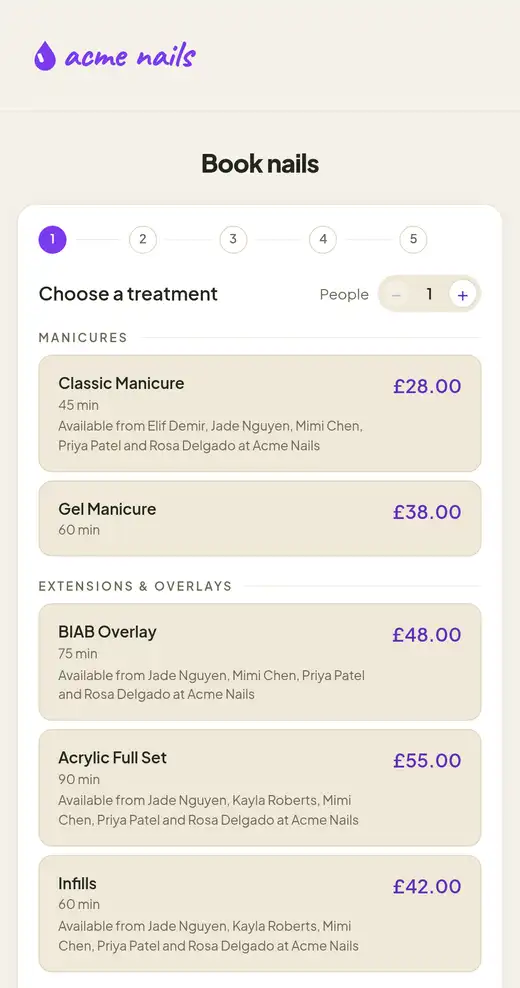
Five taps from “I need my nails done” to “booked”. Your logo, your colours, your services.

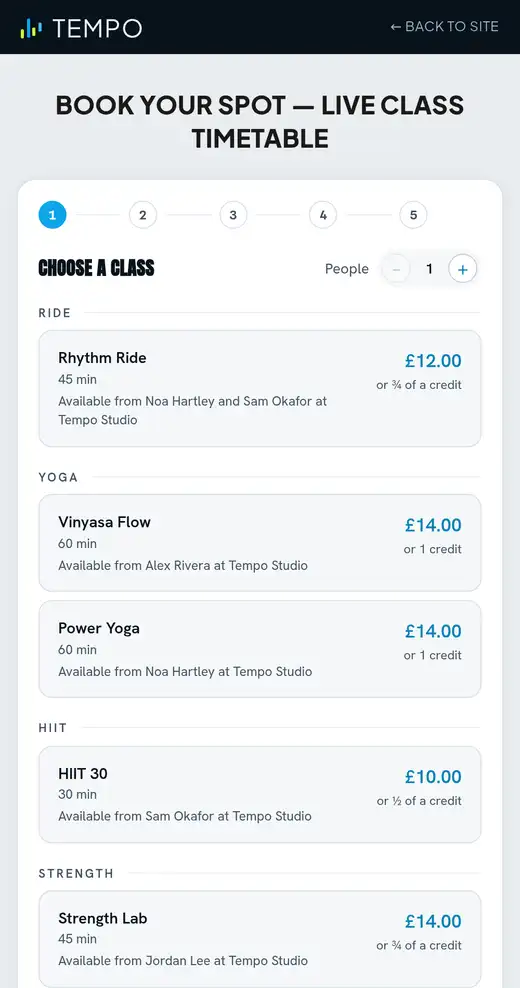
1 · Pick a service
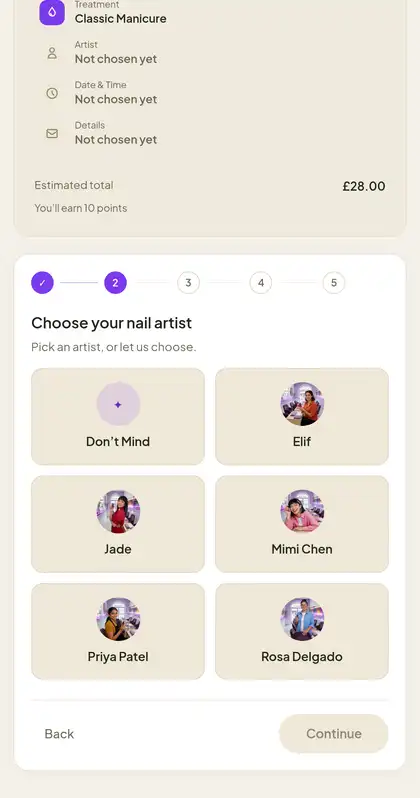
2 · Pick a person
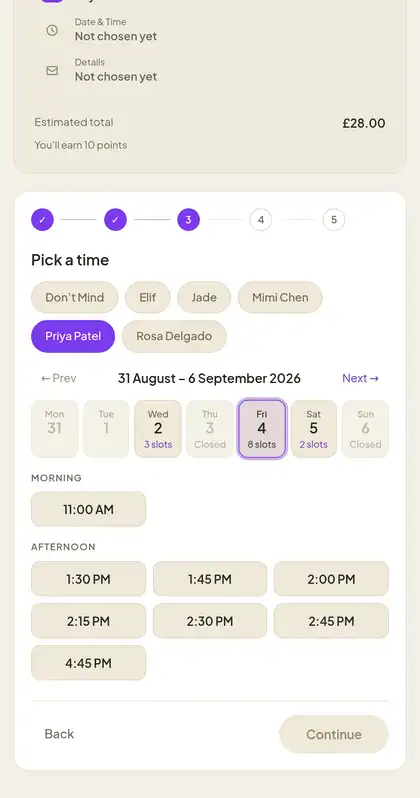
3 · Pick a time
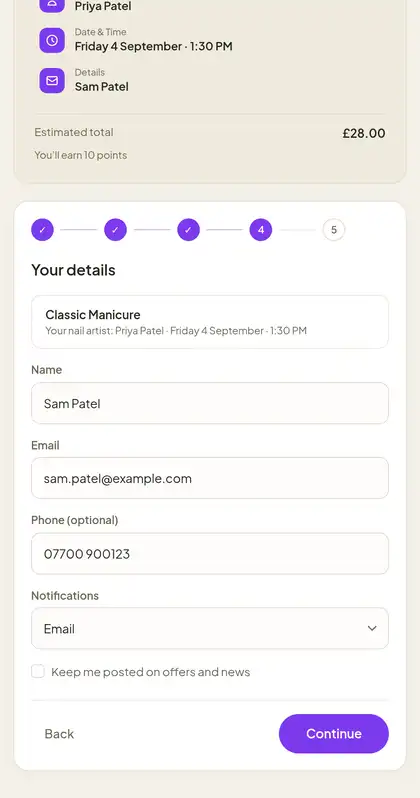
4 · Your details
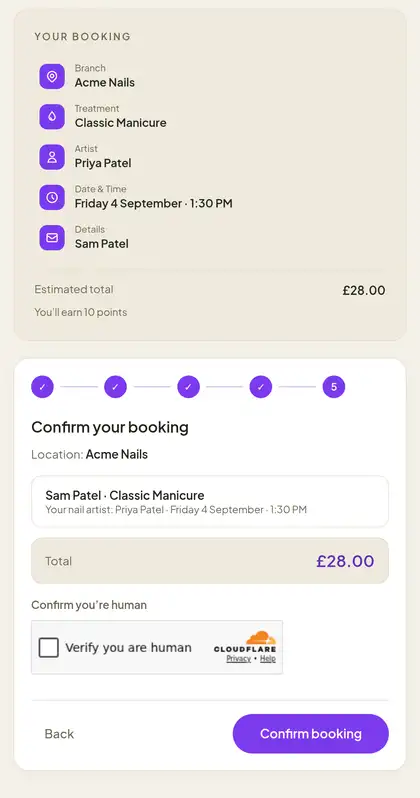
5 · Confirm
acme nails

Book nails

Your booking
TreatmentNot chosen yet
ArtistNot chosen yet
Date & TimeNot chosen yet
DetailsNot chosen yet
Estimated total£28.00

You’ll earn 10 points

12345

Choose a treatment

− 1 +

Manicures

Extensions & overlays

Choose your nail artist

Pick an artist, or let us choose.

Pick a time

Only what is really free, with Priya Patel.

‹ Prev31 Aug – 6 Sep 2026Next ›

Morning

Afternoon

Your details

We’ll text you a reminder the evening before.

Classic ManicureYour nail artist: Priya Patel · Friday 4 September · 1:30 PM
Name
Email
Mobile
Anything we should know?Optional

Confirm your booking

Location: Acme Nails

Sam Patel · Classic ManicureYour nail artist: Priya Patel · Friday 4 September · 1:30 PM
Total£28.00

Booking confirmed

Thanks, Sam! We’ve emailed your confirmation.

Start to finish, in 25 seconds.

The same five screens your customers see, playing on a loop.

Behind the counter

Your back office, running itself.

Not screenshots. The real dashboard, working through a day: the diary, the rota, the price list and a promotion that fills the quiet mornings.

Click a tab to play it

Run the day

The register board every shop lives in. Open a client card, check the next customer in, drag a booking to another chair and time — the move emails and texts them.

  1. 1Client card. allergies, last formula, photos and notes, from the appointment menu.
  2. 2Check in. the real menu, same items, same order.
  3. 3Reschedule. drag to a new column and time, snapping in 15-minute steps.
  4. 4Close a slot. name the span — one block, however long.
Calendar · live demo Reduced motion: showing a still frame.

The platform

Everything you need to stay fully booked.

One control panel runs the whole business: the diary, your website, your clients, your team and your numbers. Here is what that gets you, screen by screen.

01 · Calendar

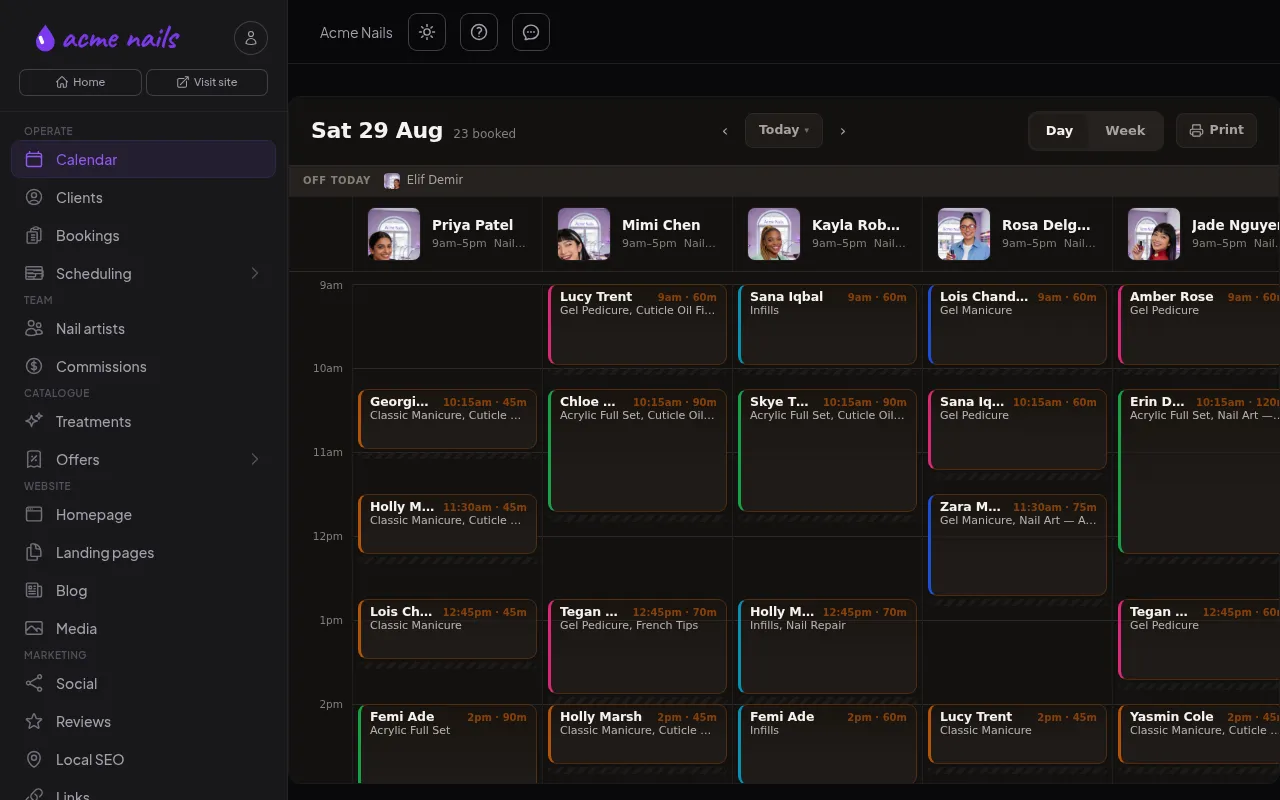
See the whole day at a glance. Change it in a drag.

Every chair, room and seat on one board. Drag a booking to a new time and the customer is told automatically. Check people in, open their card, block a slot — all without leaving the screen.

  • Day and week views. Every staff member and every branch, on one board.
  • Drag to reschedule. The email and text go out by themselves.
  • Classes, groups and buffers. The same engine handles them all, so nothing double-books.
app.bookflow.works/dashboard/calendar
The BookFlow calendar screen: a day board of six nail artists with bookings colour-coded by treatment.

02 · Website

A website designed around your business, on the domain you bring.

Included in Max PlanBooking page and embed on all plans

We design a fast, hosted website around your business: your logo, your colours, your words. Bring a domain you already own and we point it at your new site. Customers book in five taps while you are busy with the person in the chair.

  • Edit the homepage in your own words. Change the text from the dashboard and it goes live the moment you save.
  • Bring your own domain. Hosting and SSL are included. Nothing to install, nothing to renew.
  • Sell online. Gift cards, packages and memberships, paid before they arrive.
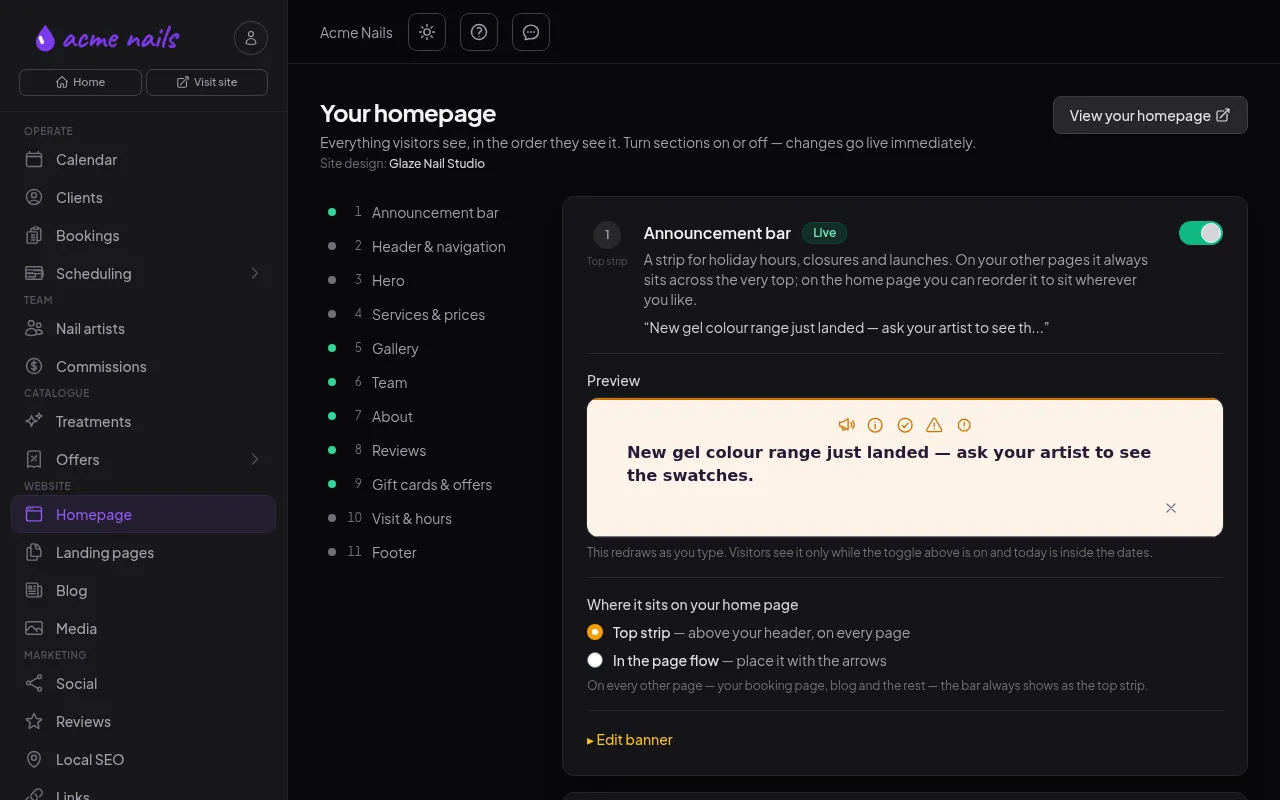
app.bookflow.works/dashboard/homepage
The BookFlow homepage editor screen: a numbered list of homepage sections beside a live preview of the announcement bar.

03 · Reminders

Fewer no-shows, with nothing to remember.

Every booking is confirmed by email or text, then reminded before the appointment — at a sensible hour, never overnight. Add a deposit and late cancellations stop costing you money.

  • Text or email, their choice. One reminder, on the channel the customer picked.
  • Deposits and no-show fees through Stripe. Your time is paid for either way.
  • Reschedules re-arm the reminder. The new time gets its own nudge.

04 · Clients

Every client, remembered.

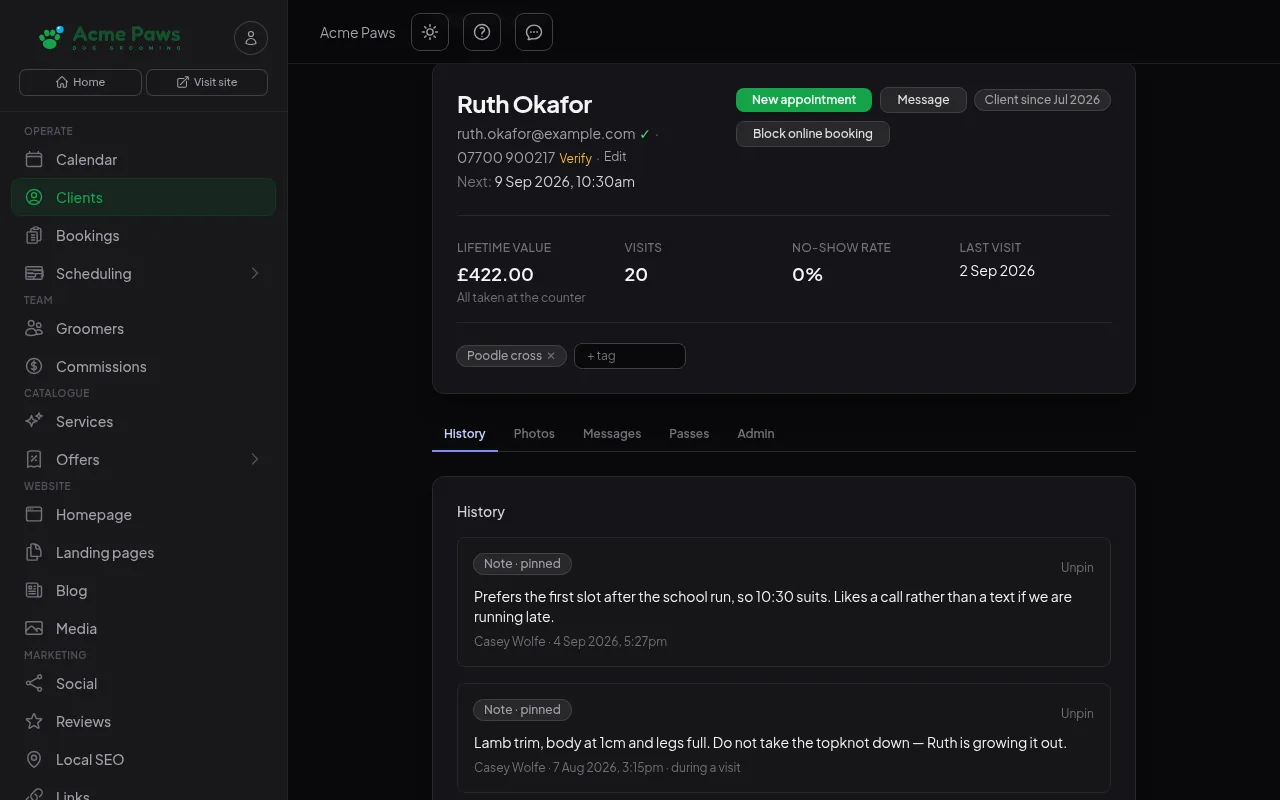
Notes, formulas, photos, allergies and visit history on one card, so whoever is on shift greets the customer like a regular. Lifetime value, visits and no-show rate sit at the top.

  • Pinned notes. What the next person serving them needs to know, first.
  • Photos, messages and passes. Previous work and every conversation in one place.
  • Block online booking. For the ones who never turn up.
app.bookflow.works/dashboard/clients
The BookFlow client card: Ruth Okafor’s lifetime value, visits and no-show rate above two pinned notes — the slot she prefers, how she likes to be contacted, and how her dog is trimmed.

05 · Team

The right people on the floor, every week.

Included on all plansCommissions from Pro

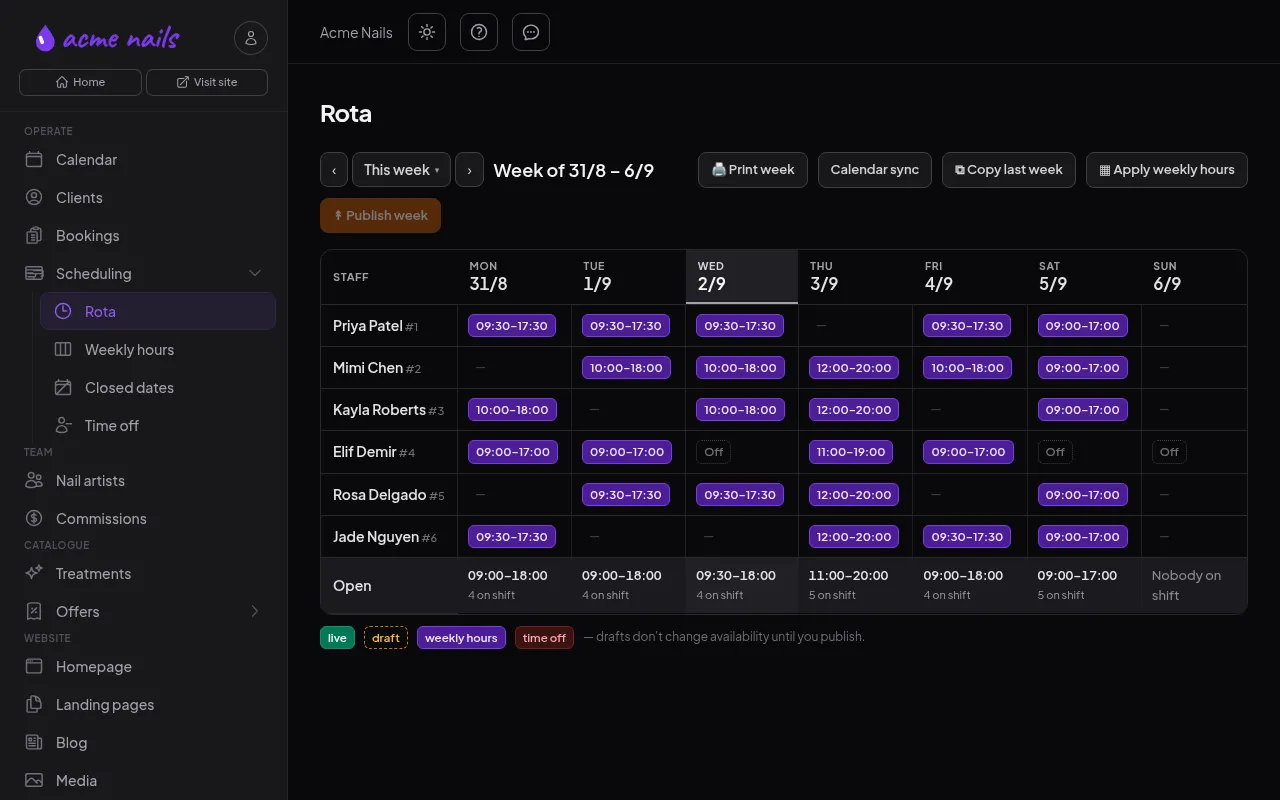
Build the rota once and apply it weekly; publish only when you are happy. Time off, closed dates and special hours flow straight into what customers can book.

  • Draft, then publish. Availability changes only when you say so.
  • Copy last week, print the week. Sunday-night rota done in two clicks.
  • Commissions and worked hours. Calculated for you, ready for payroll.
app.bookflow.works/dashboard/rota
The BookFlow rota screen: a week grid of six staff members with shift times, drafts and time off, and a publish button.

06 · Offers

Fill the quiet hours with offers that sell themselves.

Included in Pro and Max PlansPackages, memberships and loyalty on Max

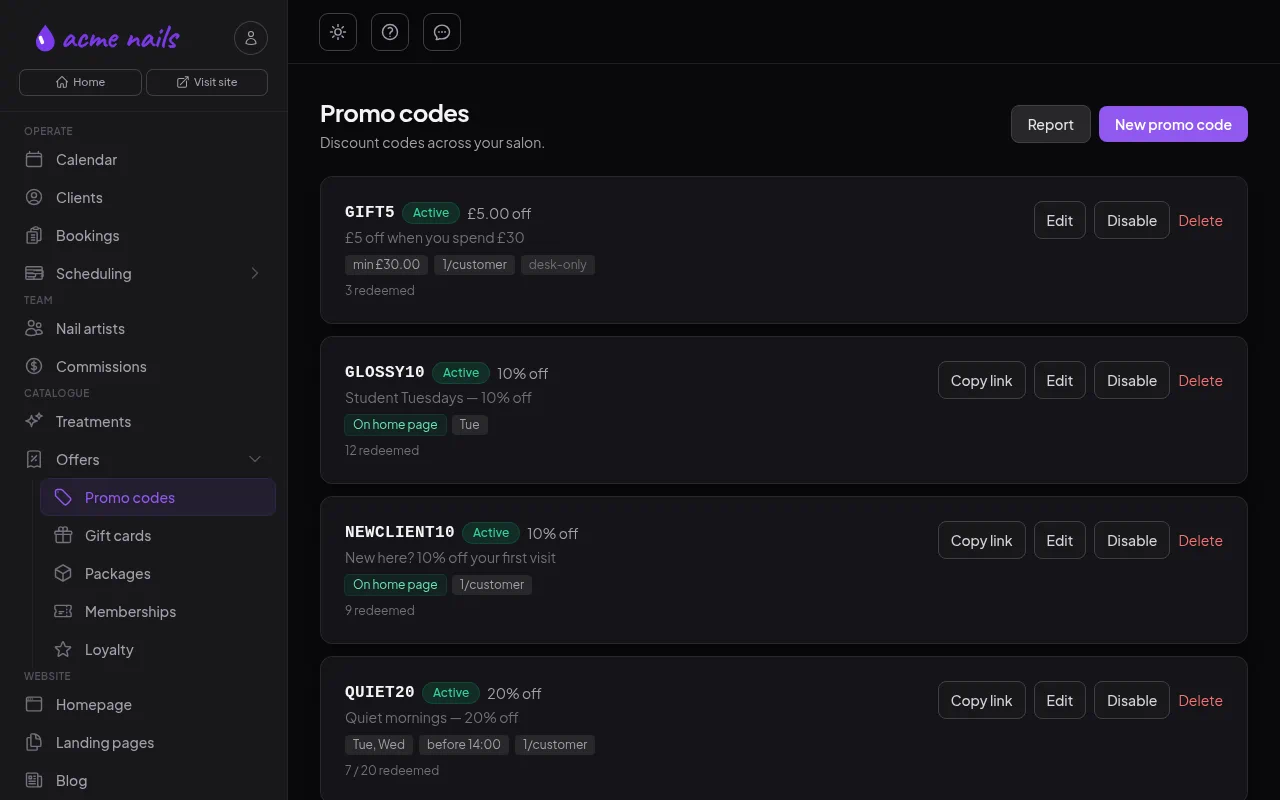
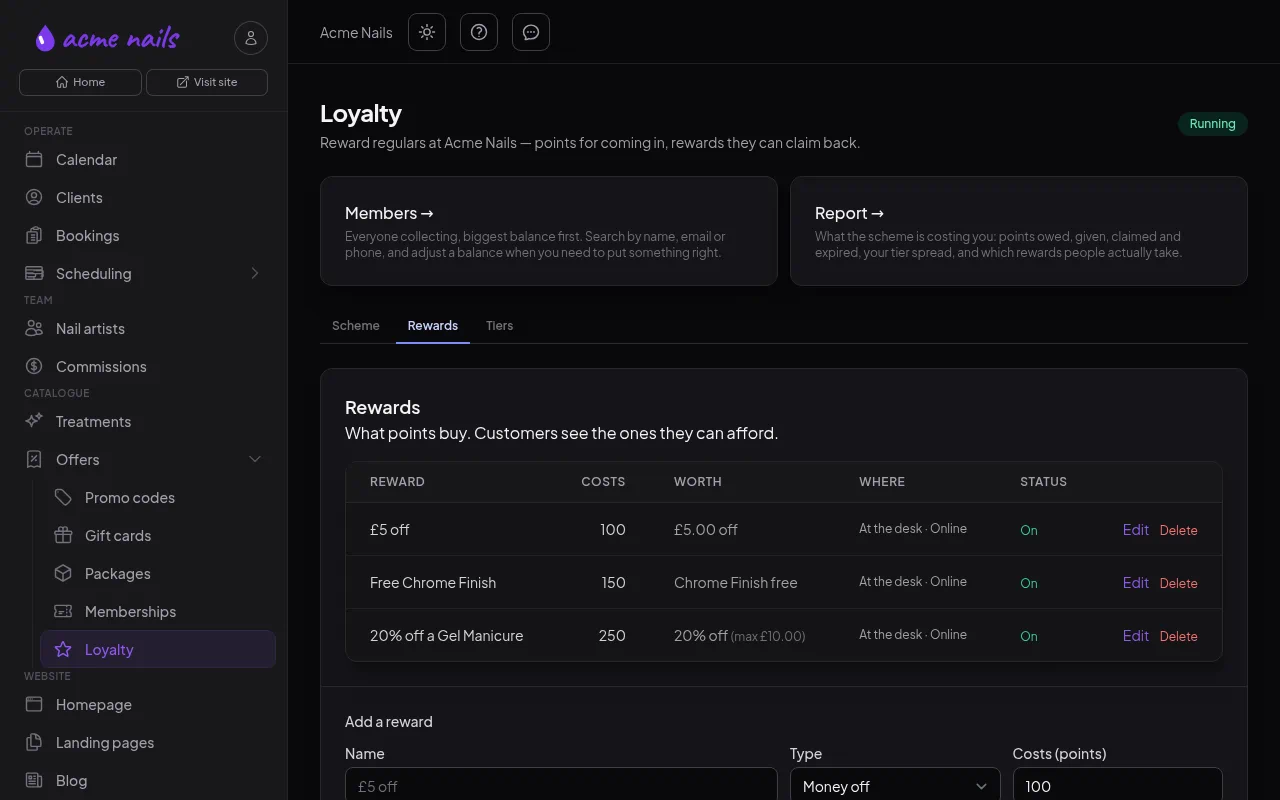
Promo codes that only work on your slow days, gift cards customers buy in three clicks, packages, memberships and a loyalty scheme — all redeemed at checkout, no spreadsheet.

  • Promo codes with rules. Limit them to days and times, show them on your homepage.
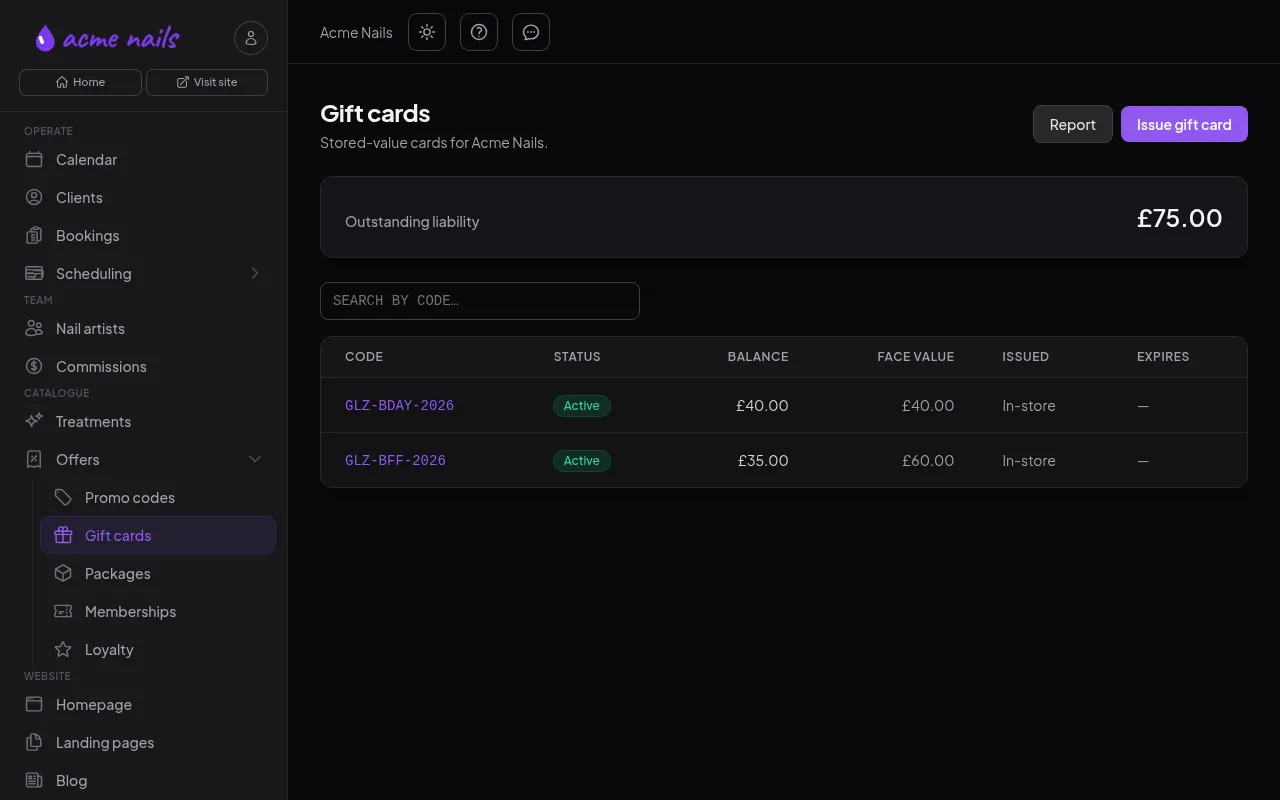
  • Gift cards that track themselves. Balances and liability, always current.
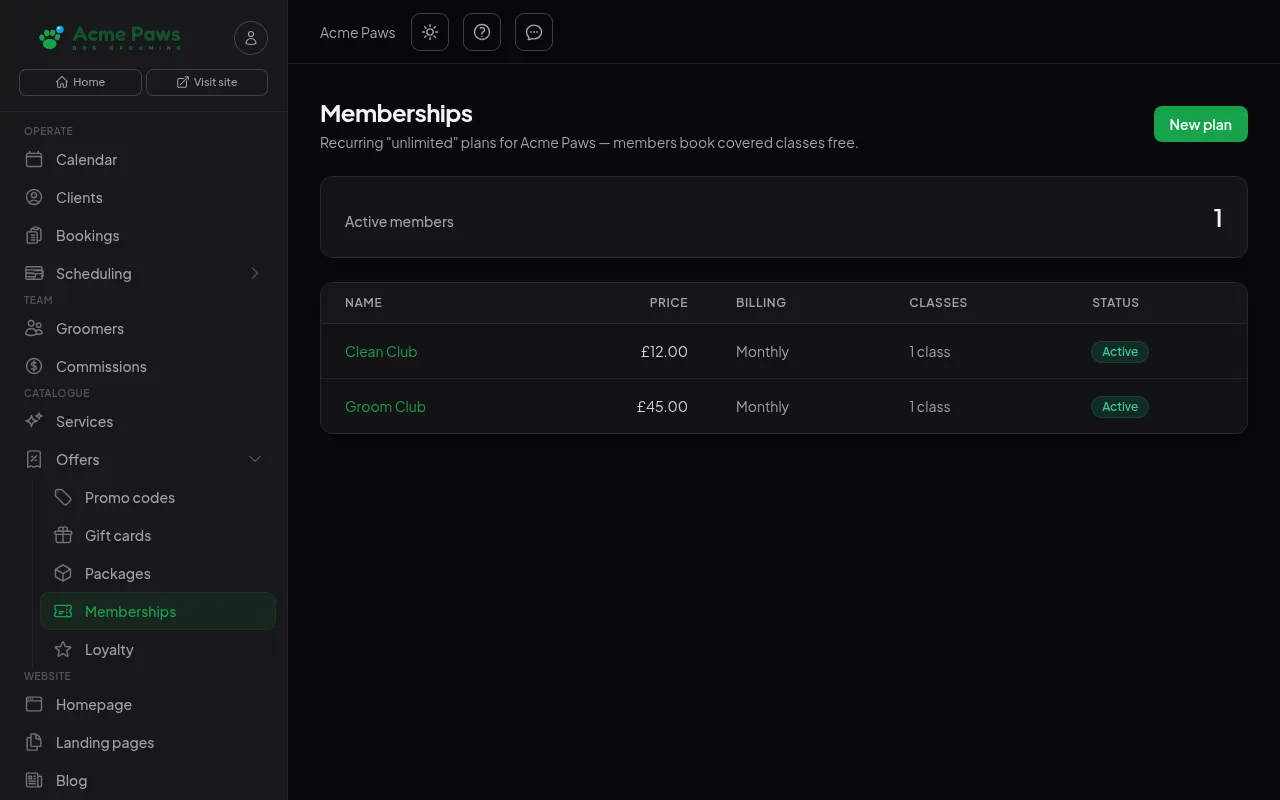
  • Memberships and packages. Repeat revenue you can count on.
app.bookflow.works/dashboard/gift-cards
The BookFlow gift cards screen: outstanding liability across the top and a table of issued cards with balances, beside the promo codes, packages, memberships and loyalty menu.

07 · Reports

Know what is working before Sunday night.

Included in Pro and Max PlansOverview and revenue reports on all plans

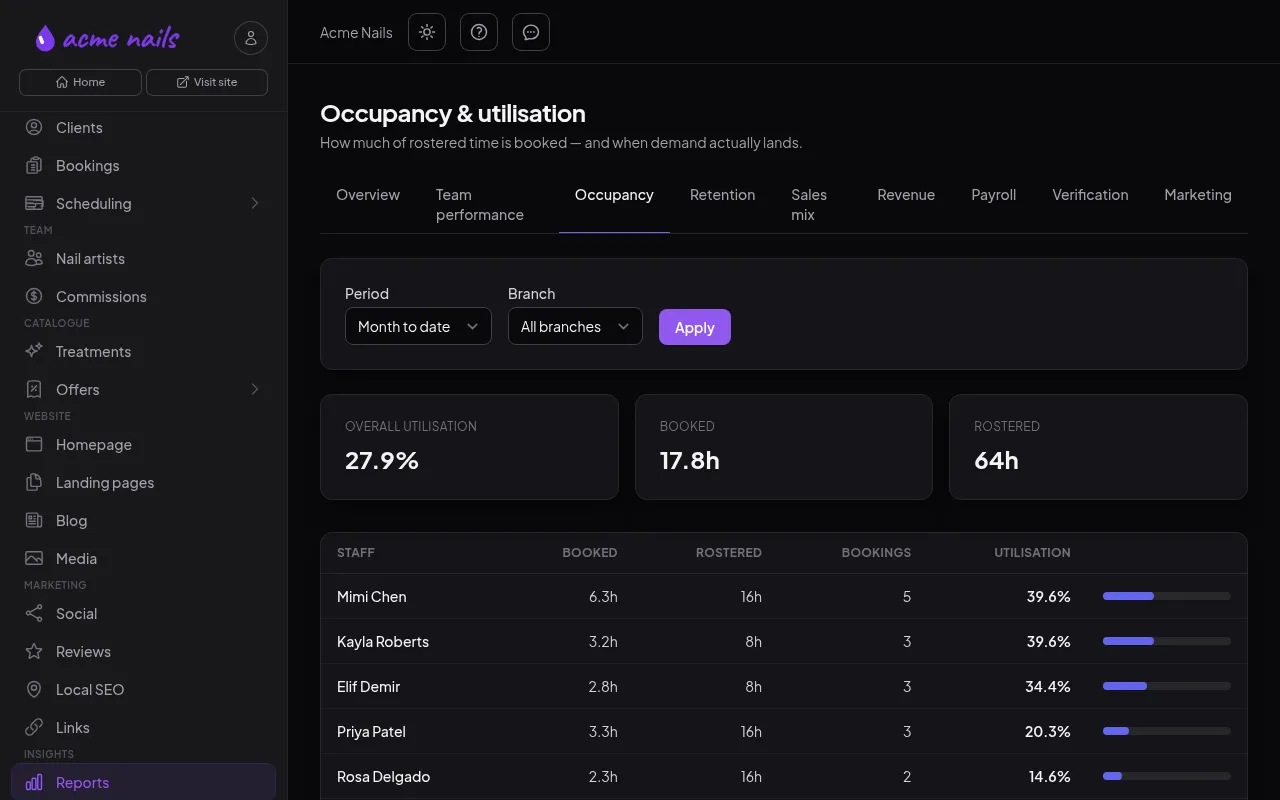
Takings, occupancy, who brings in the most, who rebooks and who does not. Filter by period and branch, export to CSV, and stop guessing.

  • Occupancy by staff member. Booked hours against rostered hours, at a glance.
  • Revenue, tips, payroll and sales mix. The money questions, answered.
  • Retention. New against returning, rebooking rate, lifetime value.
app.bookflow.works/dashboard/reports
The BookFlow occupancy report screen: overall utilisation, booked and rostered hours, then a per-staff-member utilisation table.

Grow

Fill the diary, then keep it full.

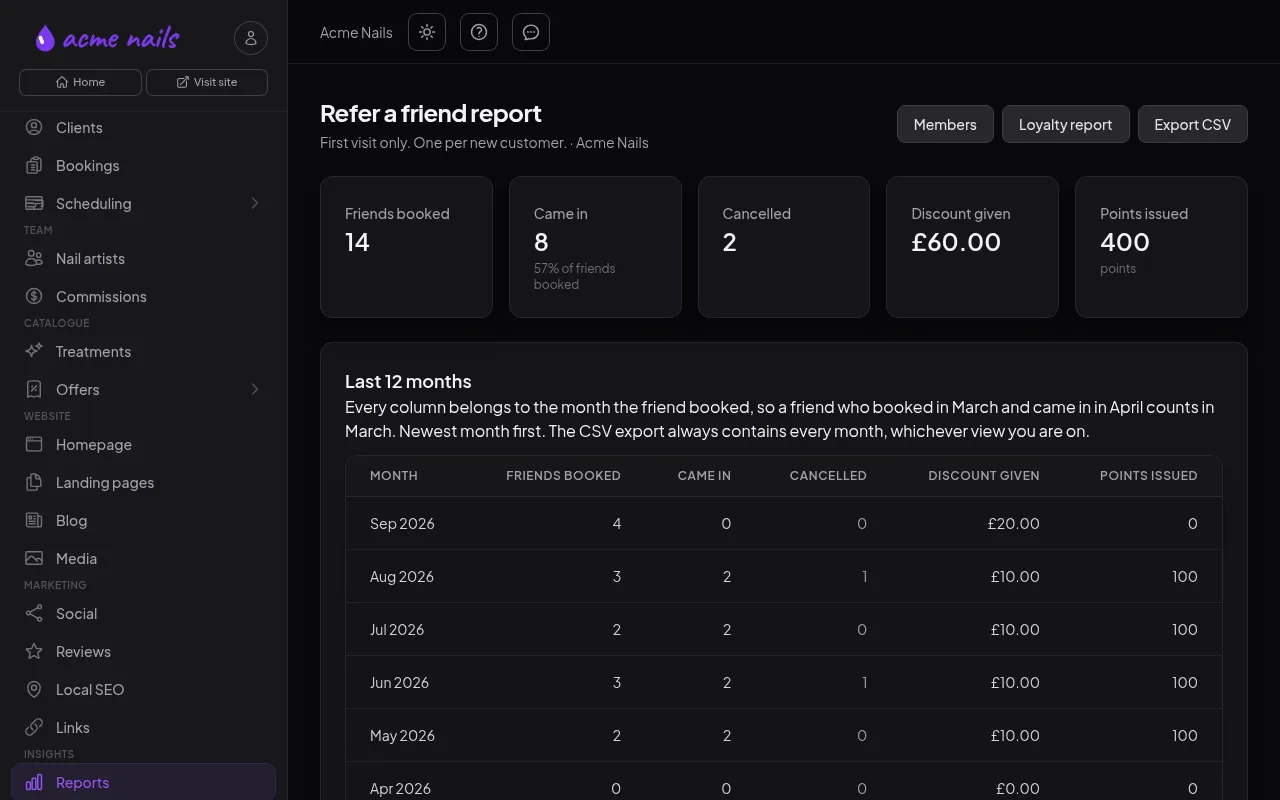
Five ways to bring people in and bring them back — posts, codes, memberships, rewards and referrals — all run from the same dashboard as your diary.

Click a tab to switch

01 · Social posts

Write it once. Post it everywhere.

Connect your Facebook Page and Instagram to the dashboard. Write one caption, pick a photo or a video, and BookFlow posts to both — now, or at the time you choose.

  • Photos, Reels and Stories. Up to ten photos or one video; Instagram gets a Reel, Facebook a video.
  • Hashtags in the first comment. The caption stays clean and the tags still work.
  • Tracked links. Every post carries its own tag, so the bookings it brings in show in your marketing report: post, click, booking, revenue.

Your accounts, your content: each business connects its own profiles and publishes only what it writes.

Every one of these lives in your BookFlow dashboard. No extra apps, no extra logins, no spreadsheet.

Onboarding forms

The questions you ask anyway, asked for you.

Attach a form to any service and BookFlow asks the customer while they book: a pet profile, a health screen, a consent with a signature. The answers land on the booking, and nobody is asked twice.

Click a tab to switch

01 · Dog groomers

Know the dog before the dog arrives.

Breed, coat, temperament, vaccinations and anything sore — collected once at the first booking and shared across every grooming service, so the right groom gets booked and nobody is surprised at the door.

  • One profile, every service. Full groom, bath and brush or a de-shed: the pet profile is filled once and carried to all of them.
  • On the diary at a glance. Temperament and vaccination status show on the booking pop-over — a nervous dog is never a surprise.
  • Your questions, your words. Add a field, drop a field, make one required — in the service editor.
acmepaws.com/book

A few questions before your visit

These help your groomer prepare. Required fields are marked *.

Your pet's name *

Biscuit

Breed (or best guess) *

Cockapoo

Approximate age

3

How is your pet around groomers? *

CalmNervousCan be reactive

Is your pet up to date on vaccinations? *

YesNo

Anything else we should know (allergies, sore spots, matting)?

Matting behind the ears

I confirm the above is accurate and consent to the groom *
Continue
On the diary

Biscuit · Cockapoo · Nervous · Vaccinated: Yes

Asked once

Next time Biscuit is booked in for a bath, the form is already on file — straight to the time slot.

Build any form in the service editor — text, choice, tick box, date and signature fields, a validity window, and which answers stay off the diary. No form tool, no copy-and-paste, no clipboard.

Pricing

Flat monthly pricing. No commission.

You keep every penny your customers pay you — we charge for the software, never a cut of the transaction. Pay yearly and two months are on us.

Your page included
Essential

Your own booking page, no website needed. Or embed our booking on the site you already have.

£5 / month

or £50 / year — two months free

  • Your page at yourname.bookflow.works, with your photos
  • Online booking & deposits, 0% commission
  • Email & SMS reminders (25 texts a month)
  • Client list & history, yours to keep
  • Links and a QR code for Instagram, Google & WhatsApp
  • One location, two calendars, buy up to two more
Join the waiting list See every feature ↓
Most popular
Pro

Keep your website. We bring the booking system for your team.

£15 / month

or £150 / year — two months free

  • Everything in Essential
  • Three calendars — and buy as many more as you need
  • 100 texts a month & email marketing campaigns
  • Promotions, gift cards & 250 MB of media
  • Booking on your own subdomain, tracked links & QR codes
  • Commissions & team reports
Join the waiting list See every feature ↓
Max

Your own website, designed and hosted by us, with every booking and promotional tool.

£29 / month

or £290 / year — two months free

  • Everything in Pro
  • Two locations — and buy more
  • 250 texts a month
  • Your own domain and a website designed around your business
  • Landing pages, blog & social publishing
  • Packages, memberships & loyalty
  • Open API & webhooks
Join the waiting list See every feature ↓

Text messages

How texts work — and what they cost.

Every plan includes a bundle of texts each month, and email is unlimited on all of them. Whether a text ever goes out comes down to three things — two of them yours, one your customer’s.

  1. 01 · Your switch Texts are on or off for the whole business.

    Switch them off and every confirmation and reminder goes by email instead. Nothing is missed and nothing is charged.

  2. 02 · Their choice With texts on, each customer picks email or text when they book.

    Only the customers who ask for texts get them (typically around 30%), so a bundle goes further than the number suggests.

  3. 03 · Reminders Appointment reminders are a second switch.

    With reminders on, a customer who chose text gets two: a confirmation when they book and one reminder before they arrive. Off, it’s the confirmation only.

Included every month Essential 25 texts Pro 100 texts Max 250 texts

Joining

Opening soon — a few businesses at a time.

BookFlow isn’t taking sign-ups yet. We’re opening in small batches, with each business set up personally.

Join the waiting list

Optional — how many chairs, rooms or courts, what you use today, anything at all.